


Table of Contents
ToggleIntroduction
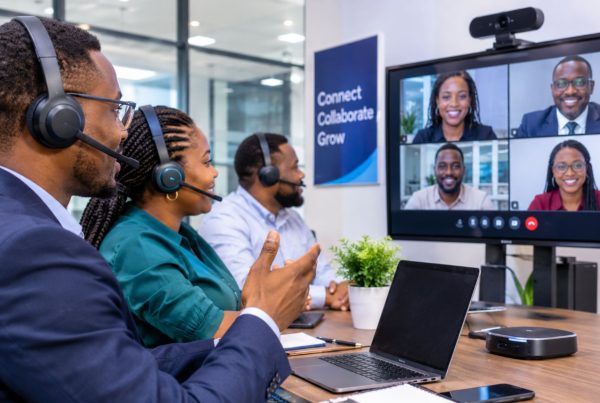
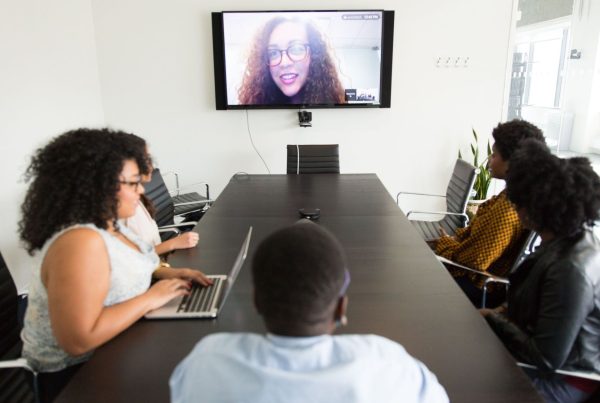
A sales meeting with a client in Abuja, a project review with a colleague in Lagos, and a supplier discussion with a partner in Accra can all happen without anyone leaving the office. However, the quality of these meetings depends on more than simply opening a video call on a laptop.
For small businesses in Nigeria, the right video conferencing setup can improve communication, support remote work and make client presentations more professional. On the other hand, poor microphones, unreliable connectivity and incompatible equipment can turn a simple meeting into a frustrating experience.
The good news is that businesses do not always need an expensive boardroom installation. The right solution may be a headset and webcam for individual employees, a conference camera for a small meeting room, or an integrated collaboration display for a more demanding workspace.
Video conferencing solutions for small businesses in Nigeria combine conferencing software and compatible audio-visual equipment to help teams communicate effectively, whether they work remotely, in the office or across multiple locations.
Table of Contents
- Introduction
- What Are Video Conferencing Solutions?
- Best Video Conferencing Solutions for Small Businesses
- How to Choose the Right Video Conferencing Equipment
- How Much Does Video Conferencing Equipment Cost in Nigeria?
- Essential Equipment for Clear Business Meetings
- Video Conferencing Challenges for Nigerian Businesses
- Best Practices for Better Video Meetings
- Common Video Conferencing Mistakes to Avoid
- Future Trends in Business Video Conferencing
- Conclusion
- FAQs
What Are Video Conferencing Solutions?
Video conferencing solutions are the software, hardware and network services businesses use to hold live meetings with people in different locations. They may include platforms such as Microsoft Teams, Zoom and Google Meet, alongside cameras, microphones, speakers, headsets and dedicated meeting room systems.
Unlike a basic video call, a complete business solution considers how people join meetings, share information, hear one another and collaborate securely.
Software versus hardware
Video conferencing software provides the meeting environment. It enables participants to join calls, share screens, chat and, depending on the platform and subscription, record sessions or use collaboration tools.
Hardware captures and reproduces the meeting. For example, a conference camera shows participants in a meeting room, while microphones and speakers carry their voices.
A business may use software without specialised hardware. However, a dedicated conference system becomes useful when several employees need to join the same call from one room.
Quick facts
- Software: Microsoft Teams, Zoom and Google Meet.
- Small-room hardware: USB conference cameras and compact video bars.
- Individual audio: Wired or wireless headsets with microphones.
- Collaborative displays: Interactive screens for meetings, presentations and whiteboarding.
- Key decision: Match the equipment to the meeting environment rather than buying the most expensive device.
Best Video Conferencing Solutions for Small Businesses
The best solution depends on the problem a business wants to solve. Logitech and Yealink are worth evaluating for dedicated meeting room equipment, Huawei IdeaHub suits businesses that need an interactive collaboration display, and standard conferencing platforms may be sufficient for teams working mainly from individual laptops.
Logitech: For small meeting rooms and hybrid teams
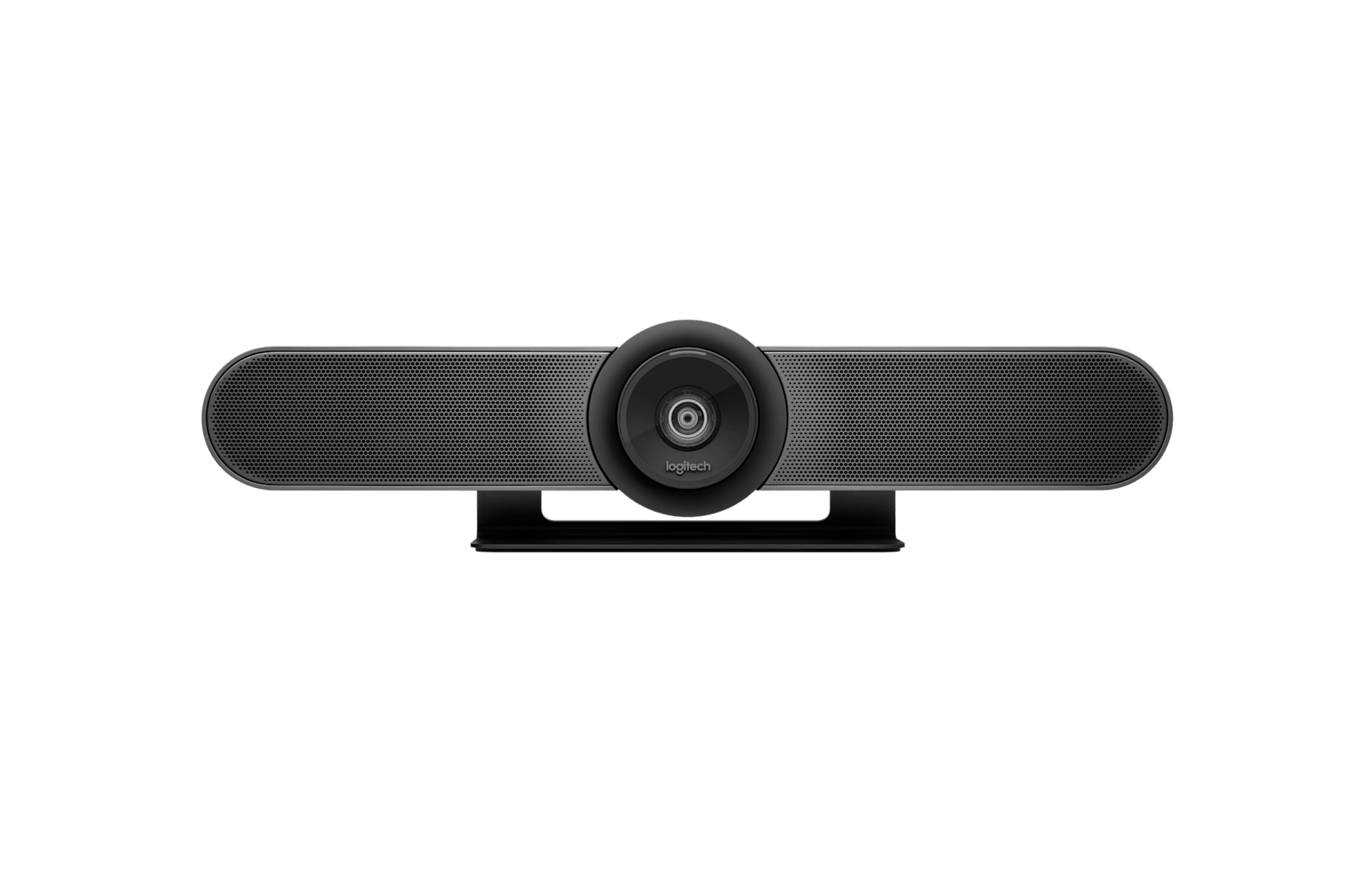
Logitech offers several business conferencing products, including MeetUp, MeetUp 2, Rally Bar Huddle and Rally Bar Mini. These products target different room configurations, so businesses should compare their capabilities rather than assume every model suits every space.
For example, MeetUp 2 is designed for compact meeting spaces and supports USB-based deployments. Rally Bar Huddle offers an all-in-one video bar approach for huddle rooms and small meeting rooms. Both provide options for businesses that want better room audio and video without assembling every component separately.
Best suited to: Small offices, client meeting rooms and hybrid teams that regularly meet with remote participants.
Advantages
- Integrated audio and video options.
- Products designed for different meeting room sizes.
- Compatibility with supported conferencing platforms.
- Options for managing room devices.
Limitations
- Dedicated hardware costs more than relying on a laptop alone.
- Some deployments require additional licences, controllers or installation.
- Buyers must verify platform certification and connectivity for the exact model.
Yealink: For dedicated conference room systems
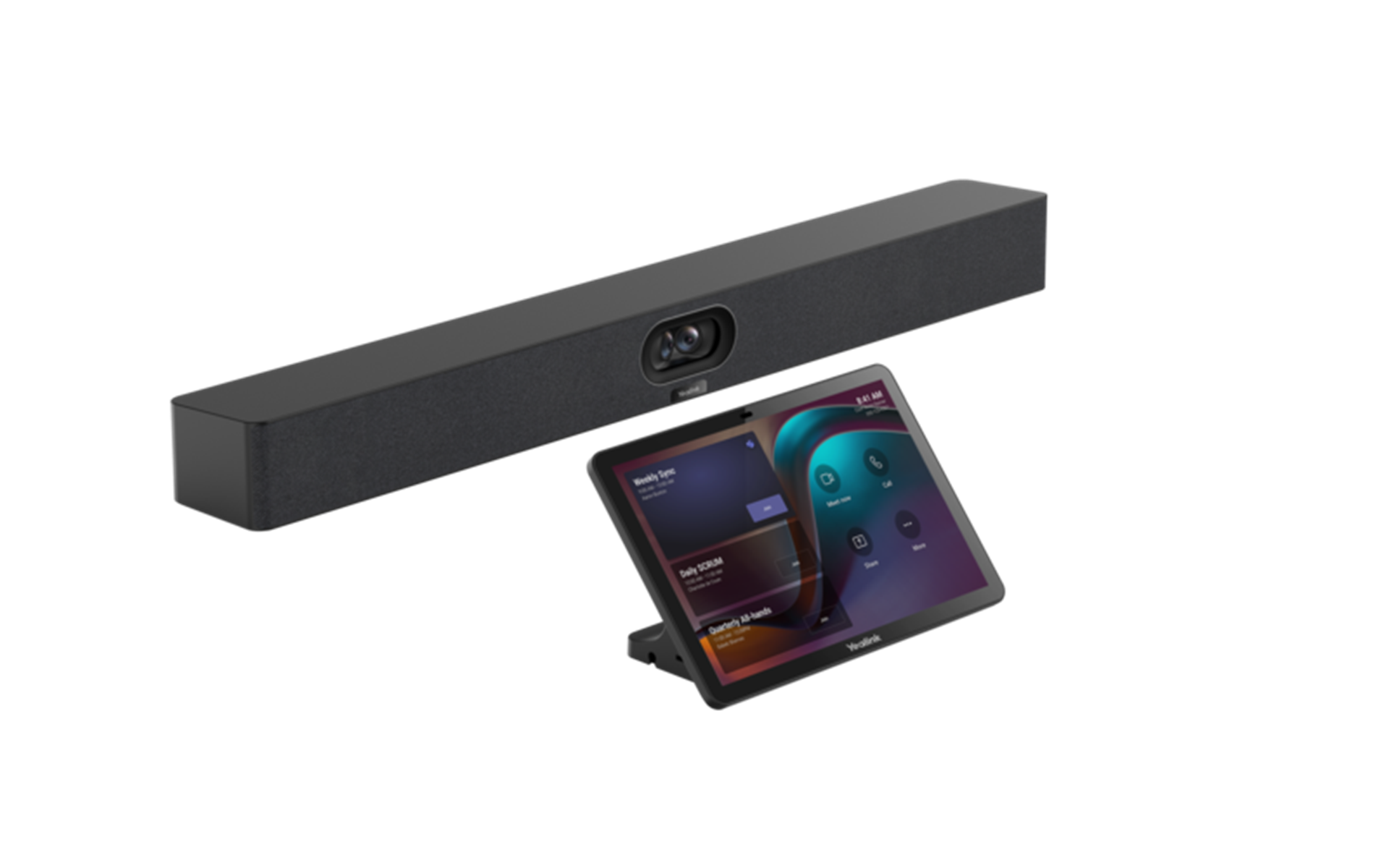
Yealink provides business communication and video conferencing equipment, including all-in-one meeting bars and room collaboration devices. A suitable MeetingBar configuration can bring the camera, microphones and speakers into one unit, reducing the number of separate components a business needs to manage.
For a small business, the main benefit is simplicity. Instead of setting up a separate webcam and speakerphone every time a meeting starts, staff can use a more consistent room arrangement.
However, not every Yealink model supports the same room capacity or conferencing platform. Confirm the device’s supported software, microphone coverage, display connections and deployment mode before ordering.
Best suited to: Businesses that hold regular team meetings, customer presentations or hybrid meetings from a dedicated room.
Advantages
- Integrated room equipment options.
- Configurations for different meeting environments.
- Potentially simpler daily operation.
Limitations
- Model selection requires careful compatibility checks.
- Some room deployments need licensing or additional accessories.
- Installation and support may add to the initial cost.
Huawei IdeaHub: For interactive meetings and presentations
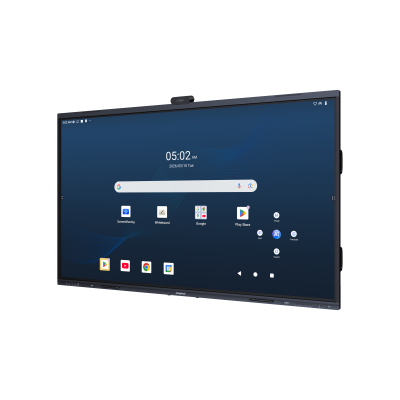
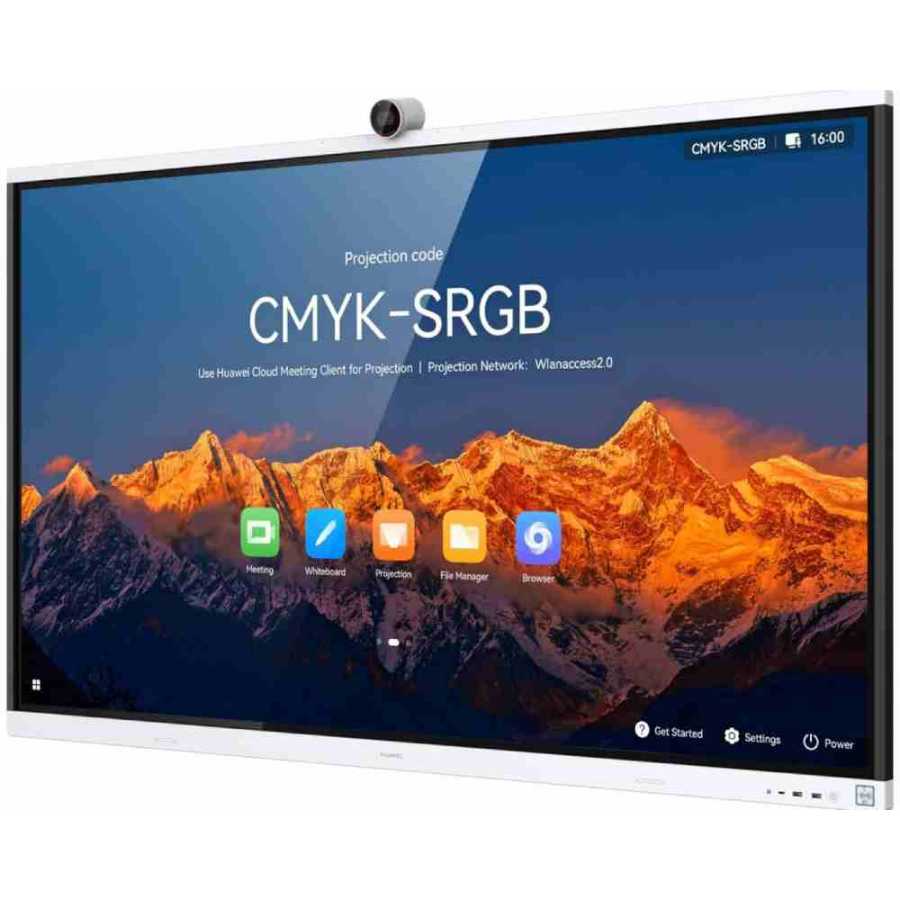
Huawei IdeaHub combines interactive display capabilities with collaboration features. Depending on the model and configuration, users can share content, annotate documents, use a digital whiteboard and participate in video meetings.
This makes an IdeaHub attractive to businesses that do more than hold routine calls. A consultancy, for instance, could use an interactive display to review a proposal with a client, annotate the document and discuss changes with remote colleagues during the same session.
Nevertheless, an interactive display is not automatically a complete conferencing system for every platform. Check the exact model’s meeting capabilities, software support, camera and microphone configuration, and any additional equipment required.
Best suited to: Training rooms, presentation spaces, management meetings and businesses that rely heavily on visual collaboration.
Advantages
- Combines display and interactive collaboration functions.
- Useful for presentations and digital whiteboarding.
- Can support more flexible meeting activities.
Limitations
- Requires more upfront investment than a basic webcam.
- May be unnecessary for teams that only make occasional calls.
- Features and compatibility vary by model.
Dahua: For businesses evaluating integrated meeting equipment
Dahua is another brand businesses may encounter when comparing professional audio-visual and collaboration equipment. However, buyers should evaluate the exact Dahua product available to them instead of assuming every model provides a complete video conferencing system.
Before considering a particular device, confirm its primary function, conferencing software support, camera and microphone specifications, installation requirements and warranty. If the proposed equipment is intended for a conference room, request a demonstration using the platform the business actually uses.
Best suited to: Businesses whose integrators or suppliers can demonstrate a suitable, compatible Dahua conferencing configuration.
Microsoft Teams, Zoom and Google Meet: For software-led meetings
A business does not necessarily need dedicated room hardware to start video conferencing. Software platforms can support meetings through compatible laptops, smartphones, built-in cameras and external peripherals.
- Microsoft Teams: Worth considering for businesses that already use Microsoft 365 and need meetings alongside workplace collaboration.
- Zoom: Suitable for businesses that prioritise scheduled video meetings and want to explore dedicated room equipment as they grow.
- Google Meet: Convenient for teams already using Google Workspace and browser-based collaboration.
For example, a small consulting firm with three employees working from separate locations may begin with a software subscription, suitable headsets and laptop cameras. As the firm grows, it can add a dedicated conference camera for meetings where several people sit together.
Check current plan limits, recording features, participant capacity and licensing before making a decision.
How to Choose the Right Video Conferencing Equipment
Choose video conferencing equipment by assessing the way your employees meet, the size of the room, the quality of the existing network and the business’s budget. A short evaluation before purchasing can prevent spending money on unnecessary features or equipment that does not work with your preferred conferencing platform.
Identify the main meeting environment
First, determine whether your employees usually meet individually or gather around a table.
Meeting environment | Suitable starting point |
One employee working remotely | Laptop camera and business headset |
Two to four people in a small room | USB conference camera or compact video bar |
Small hybrid meeting room | Integrated video bar with suitable microphone coverage |
Larger conference room | Room system designed for the room’s dimensions and seating |
Collaborative presentation room | Interactive display with compatible conferencing capabilities |
These are starting points, not fixed capacity limits. Room layout, acoustics, seating distance and microphone coverage can change what works.
Check compatibility
Next, confirm that the equipment works with the software your team uses. Check the supported operating systems, USB connections, display outputs, platform certification and any additional licences.
A product that works with one meeting platform may require a different setup for another. Therefore, request a compatibility check before purchasing.
Prioritise sound quality
Good sound is essential because participants cannot contribute effectively when they struggle to hear conversations. Look for clear microphone pickup, echo cancellation and noise suppression where appropriate.
For employees working individually, a business headset may be more practical than a speakerphone. Meanwhile, a shared meeting room generally needs audio equipment that can capture everyone around the table.
Consider connectivity and power
A quality camera cannot compensate for a poor internet connection. Test the connection in the room where meetings will take place, especially when several employees share the same network.
In addition, consider backup connectivity and power arrangements. For Nigerian businesses, these measures can help reduce interruptions caused by network outages or power cuts.
Calculate the total cost
Finally, consider the purchase price alongside software licences, installation, accessories, maintenance and replacement costs.
A lower-priced device may be the better choice for occasional meetings. However, a more integrated system may offer better value when a team uses its meeting room every day.
How Much Does Video Conferencing Equipment Cost in Nigeria?
The cost of video conferencing equipment in Nigeria varies by brand, model, configuration, exchange rates, availability and supplier. A basic software-led setup can use existing laptops and affordable peripherals, while a dedicated room system or interactive display generally requires a larger investment. Confirm current local quotations rather than relying on outdated international prices.
What determines the price?
- Software: Free and paid plans differ in meeting duration, administration, recording and collaboration features.
- Audio equipment: Headsets and speakerphones vary in connectivity, comfort and microphone performance.
- Cameras: Resolution, field of view, framing capabilities and low-light performance affect suitability and cost.
- Integrated room systems: Video bars combine multiple components, while larger deployments may require controllers and additional accessories.
- Interactive displays: These add display, touch and collaboration capabilities to the purchase.
- Installation and support: Cabling, mounting, configuration and ongoing maintenance may add costs.
Budgeting by setup
Setup | Typical investment approach |
Basic remote meetings | Start with existing computers and a suitable headset |
Small shared meeting room | Compare USB conference cameras and compact video bars |
Regular hybrid meetings | Evaluate an integrated room system |
Interactive presentation room | Consider an interactive collaboration display |
Multiple meeting rooms | Budget for standardisation, licences, installation and ongoing support |
These categories describe relative investment levels rather than verified Nigerian prices. Obtain current quotations for the exact models and configurations under consideration.
Essential Equipment for Clear Business Meetings
The right supporting equipment helps conferencing software and room systems deliver a better experience. Small businesses should prioritise reliable audio, suitable camera coverage and compatible connections before investing in premium features they may rarely use.
Conference cameras and video bars
A conference camera captures the people in the room. A video bar combines a camera with audio components, making it a practical option for businesses that want fewer separate devices.
For smaller rooms, a wide field of view can help include everyone seated at the table. Larger rooms may require a different camera arrangement or more advanced microphone coverage.
Headsets with microphones
Individual headsets are especially useful for remote employees, customer service staff, sales representatives and managers who attend frequent online meetings.
A wired headset can provide straightforward connectivity, while a wireless headset gives employees more freedom to move around. However, Bluetooth compatibility, battery life, microphone quality and connection stability should all be checked.
Searches for a call centre headset with mic noise cancelling or a wireless call centre headset with mic generally reflect the need to hear and speak clearly in busy environments. These products are relevant to individual callers, but they do not replace room conferencing equipment.
Businesses can compare compatible options through the Promallshop product catalogue.
Displays and wireless presentation
A suitable display makes presentations, spreadsheets and shared documents easier to follow. Interactive displays add the ability to annotate content and collaborate visually.
Wireless presentation can reduce cable clutter, although the supported connection methods and network requirements differ between products.
Internet and power support
A reliable internet connection and appropriate power backup are important parts of the overall setup. Where practical, use Ethernet for fixed room systems and test Wi-Fi coverage before the first important meeting.
Video Conferencing Challenges for Nigerian Businesses
Businesses in Nigeria should consider connectivity, power, background noise and support arrangements when planning their meeting systems. These factors can affect meeting quality regardless of the equipment brand, so practical preparation is just as important as the initial purchase.
Unstable internet connections
Video meetings require a stable connection, not merely a high advertised download speed. Latency, packet loss and network congestion can affect audio and video quality.
For example, an office may have adequate internet capacity during quiet periods but struggle when employees simultaneously upload files, stream content and join meetings.
To reduce interruptions, test the connection during normal office hours. Where possible, prioritise important meeting traffic appropriately and use wired connections for fixed room equipment.
Power interruptions
A power cut can interrupt the router, computer and conferencing equipment at the same time. Therefore, assess which components need backup power and how long meetings should continue during an outage.
A UPS may help maintain power for supported devices, but runtime depends on the connected load and battery condition. Businesses should calculate their actual requirements instead of assuming any UPS will keep the entire office running.
Background noise and room acoustics
Noise from nearby conversations, traffic, air conditioners and other office activity can affect call quality.
Use headsets for individual employees in noisy environments. For shared rooms, choose microphones designed for the seating arrangement, reduce unnecessary noise and test the room before important meetings.
Compatibility and technical support
A device may have impressive specifications yet create problems if staff cannot configure it correctly or the supplier cannot support it.
Before buying, establish who will handle installation, software updates, troubleshooting and warranty claims. This is particularly important when equipment is used for client presentations or daily operations.
Best Practices for Better Video Meetings
Businesses can improve meeting quality through a few consistent practices. Test equipment before important calls, maintain a stable connection, keep software updated and ensure participants know how to use the camera, microphone and screen-sharing functions.
A practical setup checklist
- Test the connection. Check internet stability during typical working hours.
- Check audio and video. Confirm that the correct microphone, speakers and camera are selected.
- Position the camera correctly. Keep participants visible without placing the camera too far away.
- Reduce background noise. Use suitable headsets or room microphones and limit avoidable distractions.
- Prepare the meeting space. Ensure the display, lighting and seating arrangement support clear communication.
- Protect access. Use appropriate meeting controls, account permissions and software updates.
- Test screen sharing. Confirm that presentations and documents display correctly.
- Prepare a backup plan. Identify an alternative connection or audio-only option for urgent meetings.
Google’s official Meet guidance also recommends checking audio devices, using headsets when appropriate and improving network conditions when call quality suffers.
A practical example
Consider a small Nigerian consultancy with six employees. Three work remotely, while the others share a small office.
The remote employees could use compatible headsets and their existing laptops. For shared meetings, the office could add a compact conference camera or video bar. The business could then use its preferred conferencing platform across both environments.
This staged approach avoids purchasing a large conference room system before the business needs one. As the team grows, it can review meeting frequency, room usage and collaboration requirements before expanding.
Common Video Conferencing Mistakes to Avoid
The most common mistakes include choosing equipment based on price alone, overlooking compatibility and assuming a better camera will fix every meeting problem. Avoiding these errors helps small businesses invest in equipment that solves a real operational need.
Buying for specifications rather than the room
A high-resolution camera is not automatically the best choice for every space. Field of view, participant distance, lighting and microphone pickup may matter more than resolution alone.
Ignoring recurring costs
Some systems require software licences, accessories or installation services. Include these expenses in the procurement budget.
Choosing wireless equipment without checking battery life
Wireless headsets and peripherals offer convenience, but they need charging and reliable connectivity. Keep suitable charging arrangements available and verify that the device supports the intended computer or phone.
Skipping a real-world demonstration
When possible, test the equipment using the actual meeting platform and room. A short demonstration can reveal echo, poor microphone coverage, complicated controls or connection problems before purchase.
Buying more than the team needs
A business that holds occasional internal calls may not need an interactive display or dedicated room appliance. Start with the simplest configuration that meets the requirements, then upgrade when a clear need emerges.
Future Trends in Business Video Conferencing
Video conferencing is moving towards more integrated collaboration, intelligent audio and video processing, simplified room management and closer integration between meeting spaces and workplace software. Small businesses should evaluate these developments based on their practical benefits rather than adopting every new feature.
AI-assisted audio and video
Some conferencing products use intelligent framing, speaker tracking or noise suppression to improve the meeting experience. These features can be useful when participants move around a room or several people need to be visible.
However, performance varies by product, room conditions and supported software. Businesses should test the features that matter most to them.
All-in-one collaboration devices
Video bars and interactive displays can combine several functions in one device. This approach may simplify installation and daily use, especially when employees share meeting spaces.
Nevertheless, an integrated device is only valuable if it supports the required platforms and room configuration.
Flexible hybrid workspaces
As businesses coordinate office-based and remote employees, meeting spaces need to support both groups. Equipment that makes remote participants easy to see and hear can help create more balanced discussions.
Better device management
Businesses with several meeting rooms may benefit from centralised monitoring, configuration and update tools. Before investing, check whether the management features require additional licences or subscriptions.
Conclusion
The best video conferencing solutions for small businesses in Nigeria are the ones that make meetings clearer, easier to manage and suitable for the way employees actually work. Logitech and Yealink provide options for dedicated meeting rooms, Huawei IdeaHub supports interactive collaboration, and software platforms such as Microsoft Teams, Zoom and Google Meet can meet many everyday communication needs.
Start by identifying your meeting environment, checking compatibility and testing your internet connection. Then compare the total cost of the required equipment, software and support.
Most importantly, do not assume that every business needs a premium conference room system. A well-chosen headset and camera may be enough for a small remote team, while a growing business may benefit from investing in a dedicated room setup.
FAQs
The best solution depends on how the business operates. Logitech and Yealink offer dedicated meeting room equipment, Huawei IdeaHub supports interactive collaboration, and Microsoft Teams, Zoom and Google Meet provide software-based meetings. Choose according to room size, compatibility, audio quality and budget.
Microsoft Teams is worth considering for businesses already using Microsoft 365, Zoom for teams that prioritise video meetings, and Google Meet for organisations using Google Workspace. Compare subscription limits and features before selecting a platform.
At minimum, you need a compatible computer or smartphone, a stable internet connection, a camera and a microphone with speakers or headphones. A shared meeting room may also need a conference camera, video bar or dedicated room system.
Costs vary by model, configuration, supplier and exchange rate. A basic setup may use existing computers and headsets, while dedicated conference room systems and interactive displays require larger budgets. Request current quotations that include accessories, installation and licensing.
Logitech offers conferencing cameras and integrated video bars for different room sizes. Products such as MeetUp 2 and Rally Bar Huddle are worth evaluating for smaller meeting spaces. Confirm compatibility and the features of the exact model before purchasing.