Table of Contents
ToggleIntroduction
Choosing a headset for a business is more complicated than picking the model with the highest price or the most features. A call centre agent, an executive attending occasional Teams meetings and a remote employee working eight hours a day can have very different requirements.
The right headset should make communication easier without creating new problems around compatibility, comfort, maintenance or cost. Therefore, IT and procurement teams should evaluate the headset according to how employees actually work.
Table of Contents
What Is a Business Headset?
A business headset is an audio device designed for professional communication through computers, desk phones, smartphones or collaboration platforms. Unlike basic consumer headphones, business headsets commonly place greater emphasis on microphone performance, call controls, compatibility, comfort, durability and workplace communication.
For example, a call centre headset may need a strong noise-cancelling microphone because several agents can be speaking at the same time. Meanwhile, a remote employee may place greater value on Bluetooth, battery life and the ability to switch between a laptop and smartphone.
Microsoft also maintains a certification programme for Teams peripherals, testing areas such as audio quality, reliability, compatibility, user interface and device management.
Quick answer
The best business headset is not necessarily the most expensive one. It is the headset whose microphone, connectivity, comfort, compatibility and durability match the employee’s actual workload.
Start With the Employee’s Work Environment
Before comparing brands or specifications, identify where the headset will be used. The same headset can perform very differently depending on whether the employee works in a quiet home office, a busy open-plan office or a high-volume call centre.
For example, a procurement manager buying 100 headsets for a BPO operation should not automatically select the same model used by a senior executive.
For call centres and BPOs
Call centre employees often spend several hours communicating with customers. As a result, the headset needs to handle frequent calls and continuous daily use.
Prioritise:
- Microphone noise cancellation
- Comfort
- Durability
- Clear voice reproduction
- Easy mute controls
- Reliable connectivity
- Acoustic protection
- Replaceability and support
VT models such as the VT 6300 and VT6200UNC-D are examples of wired options currently listed by Promallshop, while wireless options are also available.
For office employees
General office users may need a headset for Teams meetings, Zoom calls, presentations and occasional phone calls.
In this case, USB connectivity, microphone quality, comfort and platform compatibility may matter more than specialised call-centre features.
For remote workers
Remote employees often benefit from wireless connectivity because they may move around during meetings or switch between devices.
Battery life, Bluetooth, wireless range, microphone performance and multi-device connectivity should therefore be part of the selection process.
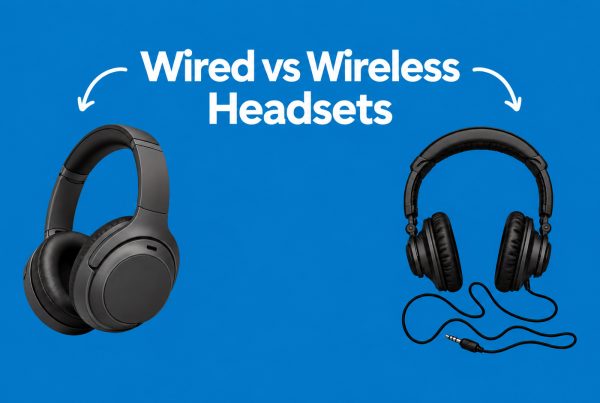
Choose Between Wired and Wireless
Wired and wireless headsets can both work well in business environments. However, each approach solves a different problem.
Feature | Wired Headset | Wireless Headset |
Connectivity | USB, USB-C or other cable | Bluetooth, USB receiver or DECT |
Charging | Not required | Required |
Mobility | Limited by cable | Greater freedom |
Setup | Usually simple | Requires pairing or receiver |
Battery concerns | None | Yes |
Cable management | More noticeable | Reduced |
Large deployments | Easy to standardise | Requires charging management |
Best suited to | Fixed workstations | Hybrid and mobile workers |
When should a business choose wired?
Wired headsets are useful when employees remain at a fixed workstation and reliability is the priority.
They also eliminate battery management. An employee can connect the headset and continue working without wondering whether it needs charging before the next shift.
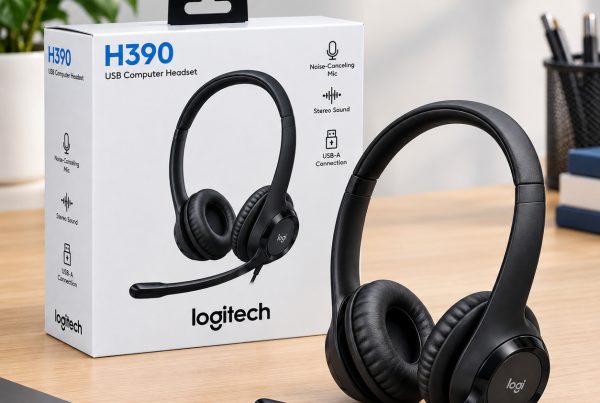
Models such as the Logitech H390 and H570e illustrate the type of USB wired headset commonly used for business communication. Promallshop currently lists both models.
When should a business choose wireless?
Wireless headsets are more appropriate when employees need freedom to move, regularly switch devices or work in hybrid environments.
For instance, Logitech’s current business range includes wireless models with Bluetooth connectivity, while some models also support USB receivers and multi-device workflows.
The trade-off is that wireless deployments introduce batteries, charging routines and additional connectivity considerations.
Understand Noise Cancellation Before You Buy
Noise cancellation is one of the most misunderstood headset features. In business communication, ANC and microphone noise cancellation solve different problems.
ANC primarily helps the person wearing the headset reduce the sound they hear from the surrounding environment. A noise-cancelling microphone, on the other hand, is designed to reduce unwanted background sound picked up by the microphone.
That difference matters greatly in call centres.
ANC vs noise-cancelling microphone
Technology | Main purpose | Helps whom? |
ANC | Reduces surrounding sound heard through the headset | The headset wearer |
Noise-cancelling microphone | Reduces background sound transmitted through the microphone | The person on the other end |
ENC/voice processing | Helps isolate speech from environmental noise | Primarily the listener |
Therefore, a headset can have ANC and still have a mediocre microphone for calls.
For a customer service team, microphone performance may be more important than ANC because the customer needs to hear the agent clearly.
Modern business headsets increasingly combine multiple microphones and software processing. For example, Logitech’s Zone Wireless 2 uses multiple microphones and call-processing technology to suppress unwanted background noise.
What should call centres look for?
Look specifically for terms such as:
- Noise-cancelling microphone
- Dual microphone
- Multiple microphone array
- Environmental noise suppression
- Voice enhancement
- Acoustic shock protection
Do not assume that the phrase “noise cancelling” automatically means the headset is suitable for a busy call centre.
Check Microphone Quality and Call Clarity
For most business users, the microphone deserves at least as much attention as the speakers.
A headset can reproduce music beautifully and still perform poorly during a business call. Therefore, procurement teams should focus on voice pickup, background-noise handling and microphone positioning.
A boom microphone can also help position the microphone consistently near the user’s mouth. Logitech, for example, uses adjustable boom microphones on several business headset models. The Zone 305 has dual noise-cancelling microphones positioned on its adjustable boom.
A simple test
Before standardising on a headset, test it in the environment where employees will actually use it.
Place two or three employees in a normal office environment and make calls while:
- Other people are talking.
- Air conditioning is running.
- Employees are typing.
- Phones are ringing.
- Background conversations are happening.
Then ask the person receiving the call whether the speaker’s voice remains clear.
This real-world test can reveal more than a specification sheet.
Consider Compatibility With Your Business Systems
A headset is only useful if it works properly with the systems employees use.
Before purchasing, identify whether employees use:
- Windows PCs
- Mac computers
- Android or iOS devices
- Microsoft Teams
- Zoom
- Google Meet
- IP desk phones
- Softphones
- CRM calling platforms
Microsoft’s Teams certification programme is particularly useful for organisations that standardise around Teams. Certified devices are tested for areas including audio quality, reliability and compatibility, while supported peripherals can provide plug-and-play functionality and call controls.
USB, Bluetooth, DECT or desk-phone connection?
The connection type should match the employee’s workflow.
USB: Useful for computer-based communication and usually straightforward to deploy.
Bluetooth: Convenient for laptops and smartphones, particularly for mobile and hybrid workers.
DECT: Useful for professional wireless communication where longer range and dedicated business telephony workflows are important.
Desk-phone/QD connections: Relevant for traditional call centre and IP-phone environments.
Do not order hundreds of headsets until the connection has been tested with the actual phone or communication system.
Do Not Ignore Comfort
A headset that sounds excellent but becomes uncomfortable after two hours is a poor business investment for an employee who wears it for eight hours.
Comfort becomes even more important in call centres because agents can spend most of their working day wearing a headset.
Look at:
- Headband pressure
- Ear cushion material
- Weight
- Ear cup size
- Adjustability
- Cable position
- Microphone boom position
- Single-ear versus dual-ear design
For example, Logitech’s Zone 305 weighs 122 g and uses padded earpads and a padded headband.
However, specifications do not tell the entire story. Head shape and personal preference also affect comfort.
That is why a small pilot deployment is worthwhile before a large purchase.
Think About Durability and Total Cost of Ownership
The cheapest headset is not always the least expensive option for a business.
Suppose an organisation buys 100 low-cost headsets and frequently replaces broken units. Another organisation buys 100 more durable headsets with better warranty support and fewer replacements.
The initial purchase price tells only part of the story.
Consider these costs
- Purchase price
- Shipping
- Replacement units
- Warranty
- Repairs
- Spare parts
- Battery replacement
- IT support time
- Employee downtime
- Charging accessories
- Device management
This is known as total cost of ownership (TCO).
For large deployments, also ask whether the manufacturer or supplier can provide consistent stock when replacements are required.
Standardising on a headset that becomes unavailable six months later can create unnecessary procurement problems.
Choose Features According to Job Role
Not every employee needs a premium headset.
A better procurement strategy is to create headset tiers based on job requirements.
User | Important Features |
Call centre agent | Noise-cancelling mic, comfort, durability |
BPO supervisor | Clear calls, comfort, reliable connectivity |
Remote worker | Wireless, Bluetooth, battery life |
Executive | Premium comfort, wireless, multi-device support |
IT staff | Compatibility, manageability, standardisation |
Reception/customer service | Clear microphone, comfort, easy controls |
Office employee | USB, microphone quality, compatibility |
This approach prevents businesses from overpaying for features that some employees will never use.
Logitech, VT or Dell?
Brand should come after requirements.
Promallshop’s current headset catalogue includes Logitech, VT and Dell models alongside other professional brands. Current examples include the Logitech H390, Logitech H570e, Dell WL5022, VT 6300, VT6200UNC-D and VT Flow.
Logitech’s business range includes both wired and wireless options, while its newer models include features such as noise-cancelling microphones, ANC and business-platform certification.
Dell also has business headset models represented in Microsoft’s Teams certification listings, including models such as the WL5024 and WL7024.
The important point is that a brand does not automatically determine suitability. Compare the exact model against the user’s requirements.
How Much Should a Business Spend on Headsets?
There is no single correct headset budget because prices vary according to connectivity, microphone technology, wireless capability, brand, durability and business features.
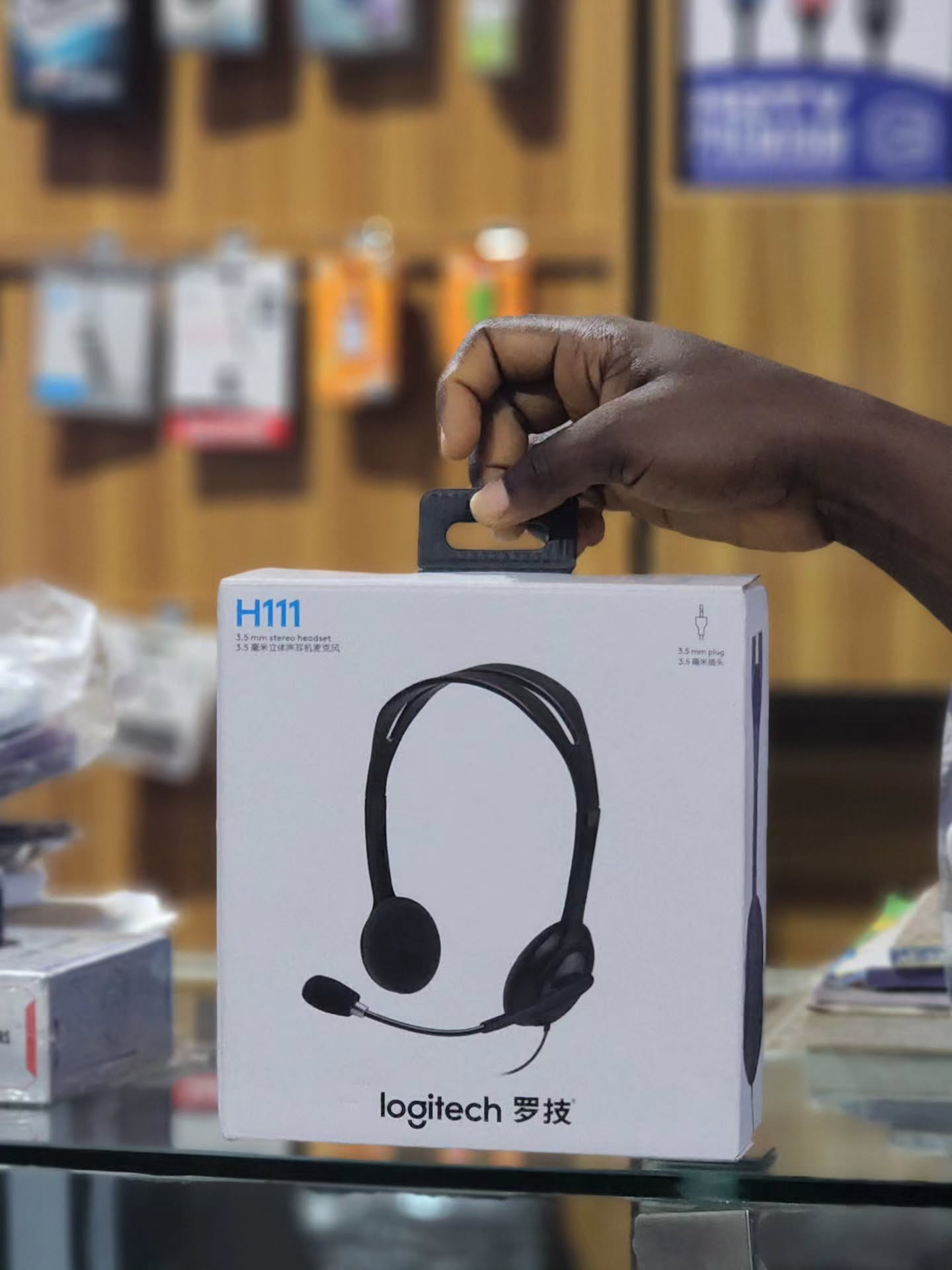
For example, Promallshop’s current catalogue shows wired models ranging from entry-level Logitech headsets to more specialised professional options, while wireless models occupy a much wider price range. Current listed examples include the Logitech H110, Logitech H390, VT 6300, VT Flow and Dell WL5022.
Rather than setting one price for every employee, consider three practical tiers:
Entry-level
Suitable for basic office communication where advanced features are unnecessary.
Mid-range
Useful for employees who spend significant time on calls and need better microphones, comfort and connectivity.
Business/premium
More appropriate for executives, heavy call users, hybrid teams and organisations that need advanced wireless, noise-management or device-management features.
The goal is not to spend the most. Instead, spend enough to satisfy the requirements of the role.
Follow a Practical Headset Selection Process
The easiest way to avoid procurement mistakes is to make the buying process repeatable.
Identify the users
Separate employees into groups such as call centre agents, executives, remote workers and general office staff.
Identify their devices
Record whether they use laptops, desktops, smartphones, IP phones or softphones.
Assess the environment
Determine whether the workplace is quiet, open-plan, noisy or frequently changing.
Define must-have features
For example:
- Noise-cancelling microphone
- USB connection
- Bluetooth
- Wireless connectivity
- Multi-device support
- Long battery life
- Acoustic protection
Shortlist three to five models
Compare models based on the same criteria rather than simply comparing prices.
Test them
Give employees sample units and test them during real calls.
Calculate total cost
Include replacements, support, warranty and accessories.
Standardise where practical
A smaller number of approved models can simplify IT support, purchasing and replacement.
Common Business Headset Buying Mistakes
The biggest purchasing mistakes usually happen when businesses focus on the headset itself instead of the work being performed.
Buying purely on price
A low purchase price can become expensive if employees frequently replace the equipment.
Buying purely on brand
A recognised brand can offer excellent products, but different models are designed for different users.
Confusing ANC with microphone noise cancellation
ANC helps the wearer. Microphone noise cancellation helps the person listening to the call.
Ignoring compatibility
A headset that works with a laptop may not automatically work with a particular IP phone or calling system.
Giving everyone the same model
Different departments have different needs.
Ignoring comfort
Employees who wear headsets all day need equipment designed for extended use.
Forgetting wireless charging routines
Wireless headsets introduce batteries into the equipment-management process.
Skipping real-world testing
A specification sheet cannot fully reproduce a busy office or call centre.
Best Practices for Business Headset Procurement
A good headset procurement strategy should balance employee experience, technical requirements and long-term cost.
Key takeaways:
- Start with the user’s job, not the brand.
- Prioritise microphone quality for voice-heavy roles.
- Separate ANC from microphone noise cancellation.
- Test compatibility before bulk purchasing.
- Consider wired headsets for fixed workstations.
- Consider wireless headsets for mobile and hybrid workers.
- Test comfort during extended use.
- Check warranty and replacement support.
- Consider total cost of ownership.
- Standardise models where it simplifies IT support.
- Keep different headset tiers for different job roles.
For large organisations, IT teams should also document approved models, supported platforms, connection types and replacement procedures.
That small amount of standardisation can make future procurement much easier
Conclusion
Choosing the right business headset starts with understanding how people communicate at work. A call centre needs strong microphone noise cancellation and durability, while a remote employee may need wireless connectivity and long battery life. Meanwhile, an office employee may simply need a reliable USB headset with a clear microphone.
Therefore, the best purchasing decision comes from matching the headset to the role, environment and technology stack.
Whether you are equipping a call centre in Lagos, supporting hybrid employees across Nigeria, or managing business teams in Ghana or Ivory Coast, compare the microphone, connectivity, comfort, compatibility, durability and total cost of ownership before making a decision.
For businesses ready to compare available models, explore Promallshop’s current range of professional headsets and narrow the selection based on your team’s requirements.
FAQs
Look at microphone quality, noise cancellation, connectivity, comfort, compatibility, durability and warranty. The right combination depends on the employee's role and work environment.
Neither is universally better. Wired headsets are convenient for fixed workstations because they do not require charging. Wireless models provide greater mobility and are useful for hybrid and remote workers.
ANC reduces surrounding noise that the headset wearer hears. A noise-cancelling microphone reduces unwanted background noise picked up during a call.
A call centre headset should prioritise microphone noise cancellation, comfort, durability, reliable connectivity and clear voice transmission. The exact model should be selected based on the phone or software platform being used.
Yes, wireless headsets can be useful in call centres when mobility is important. However, procurement teams should consider battery life, charging routines, wireless range, durability and replacement costs.