Table of Contents
ToggleIntroduction
Security is no longer limited to having a security guard at the entrance or locking doors after business hours.
Today, organisations can monitor their properties, people and operations using CCTV cameras and intelligent video surveillance systems.
From homes and offices to banks, warehouses, schools, hotels and large industrial facilities, CCTV cameras provide visibility over areas that cannot always be watched directly.
But what exactly is a CCTV camera? How does it work? What types are available, and how do you choose the right one?
This guide explains everything you need to know.
Table of Contents
- Introduction
- What Is a CCTV Camera?
- How Does a CCTV Camera Work?
- What Are CCTV Cameras Used For?
- What Are the Different Types of CCTV Cameras?
- CCTV vs IP Cameras
- Key Features to Consider
- Benefits of CCTV Cameras
- What Are the Disadvantages of CCTV Cameras
- How to Choose the Right CCTV Camera
- CCTV Camera Installation Best Practices
- The Future of CCTV Technology
- Conclusion
- FAQs
What Is a CCTV Camera?
A CCTV camera is a security camera that captures video of a particular area and sends that footage to a designated monitoring or recording system. CCTV stands for closed-circuit television, meaning the video is intended for a specific system rather than general broadcast.
A basic CCTV system typically includes:
- Cameras
- Recording equipment
- Storage
- Monitors or viewing devices
- Cables or network connections
- Power supply
- Surveillance software
Traditional CCTV systems used analog cameras and dedicated recording equipment. Modern systems increasingly use IP or network cameras that transmit digital video over computer networks.
Axis explains that CCTV technically refers to a closed-circuit setup, while IP or network video cameras connect to networks and can integrate with other systems and analytics.
In simple terms
Think of a CCTV system as an extra set of eyes for a property.
The camera sees what is happening, the recording system stores what happened, and the monitoring software allows authorised users to review or respond to events.
How Does a CCTV Camera Work?
A CCTV camera works by capturing video through an image sensor and transmitting the footage to a recorder, network or monitoring system. Depending on the system, the footage can be viewed live, stored for later review or analysed automatically using technologies such as motion detection and AI.
The process is straightforward:
Camera → Transmission → Recording → Storage → Monitoring
1. The camera captures an image
The camera uses a lens and image sensor to capture the scene.
Factors such as lighting, lens selection, resolution and viewing angle affect the quality of the footage.
2. Video is transmitted
The camera sends video to the rest of the system.
Analog cameras generally use dedicated cabling and connect to a DVR.
IP cameras transmit digital video over a network and commonly connect to an NVR or other network infrastructure.
3. Footage is recorded
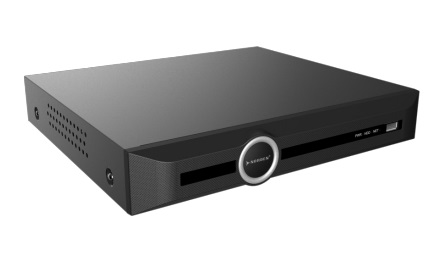
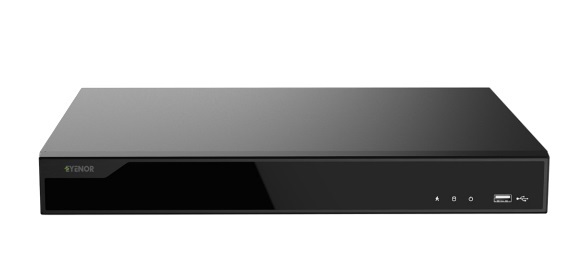
A DVR or NVR can store video for later review.
The amount of footage that can be stored depends on factors such as:
- Number of cameras
- Resolution
- Frame rate
- Compression
- Recording schedule
- Storage capacity
4. Users view the footage
Security personnel or authorised users can view live or recorded video through a monitor, computer or compatible mobile application.
Some systems also support remote access.
5. Analytics can identify events
Modern surveillance systems can go beyond recording.
Depending on the camera and software, analytics can detect objects, recognise certain events, count people, identify vehicles or generate alerts.
Axis describes modern network cameras as intelligent devices capable of edge-based AI analytics and real-time monitoring.
What Are CCTV Cameras Used For?
CCTV cameras are primarily used for security monitoring, deterrence, incident investigation and safety. However, modern video surveillance can also support operational efficiency, business intelligence, traffic management, people counting and process monitoring.
Common CCTV applications include:
Homes
Cameras can monitor entrances, driveways, gates, gardens and other areas around a property.
Offices
Businesses can monitor entrances, reception areas, corridors, parking areas and restricted spaces.
Retail stores
Retailers can use video surveillance to monitor customers, entrances, checkout areas and inventory-related activity.
Warehouses
Cameras can provide visibility across loading bays, storage areas, aisles and vehicle movement.
Banks and financial institutions
Security cameras can help monitor entrances, customer areas, ATMs and restricted areas.
Schools
CCTV can provide visibility around entrances, corridors, playgrounds and other areas where security monitoring is required.
Manufacturing
Cameras can support security, workplace safety, production monitoring and process oversight.
Hotels
Hotels can use surveillance across entrances, lobbies, parking areas and other common spaces.
CCTV is no longer only about security
This is an important shift.
Modern video surveillance can generate information that helps organisations understand how spaces are being used.
For example, video analytics can support:
- People counting
- Traffic monitoring
- Queue analysis
- Parking management
- Occupancy analysis
- Operational monitoring
Axis reports that organisations increasingly expect video surveillance to support business intelligence and operational efficiency in addition to security and safety.
What Are the Different Types of CCTV Cameras?
CCTV cameras come in different designs because different environments require different viewing angles, levels of detail, installation methods and environmental protection. Common types include dome, bullet, PTZ, panoramic, box and specialised cameras such as thermal models.
Dome cameras
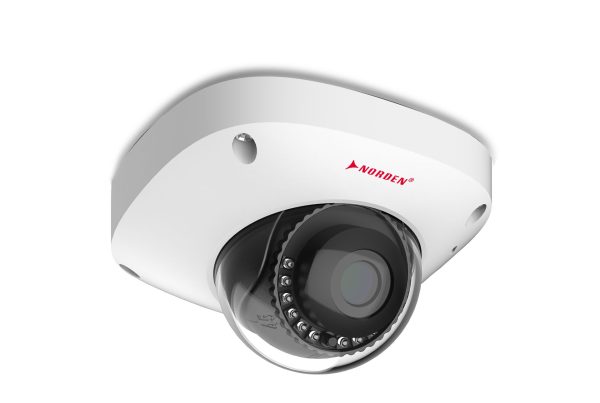
Dome cameras have a rounded housing and are commonly used indoors and outdoors.
Their discreet design makes it less obvious which direction the camera is facing.
Bullet cameras
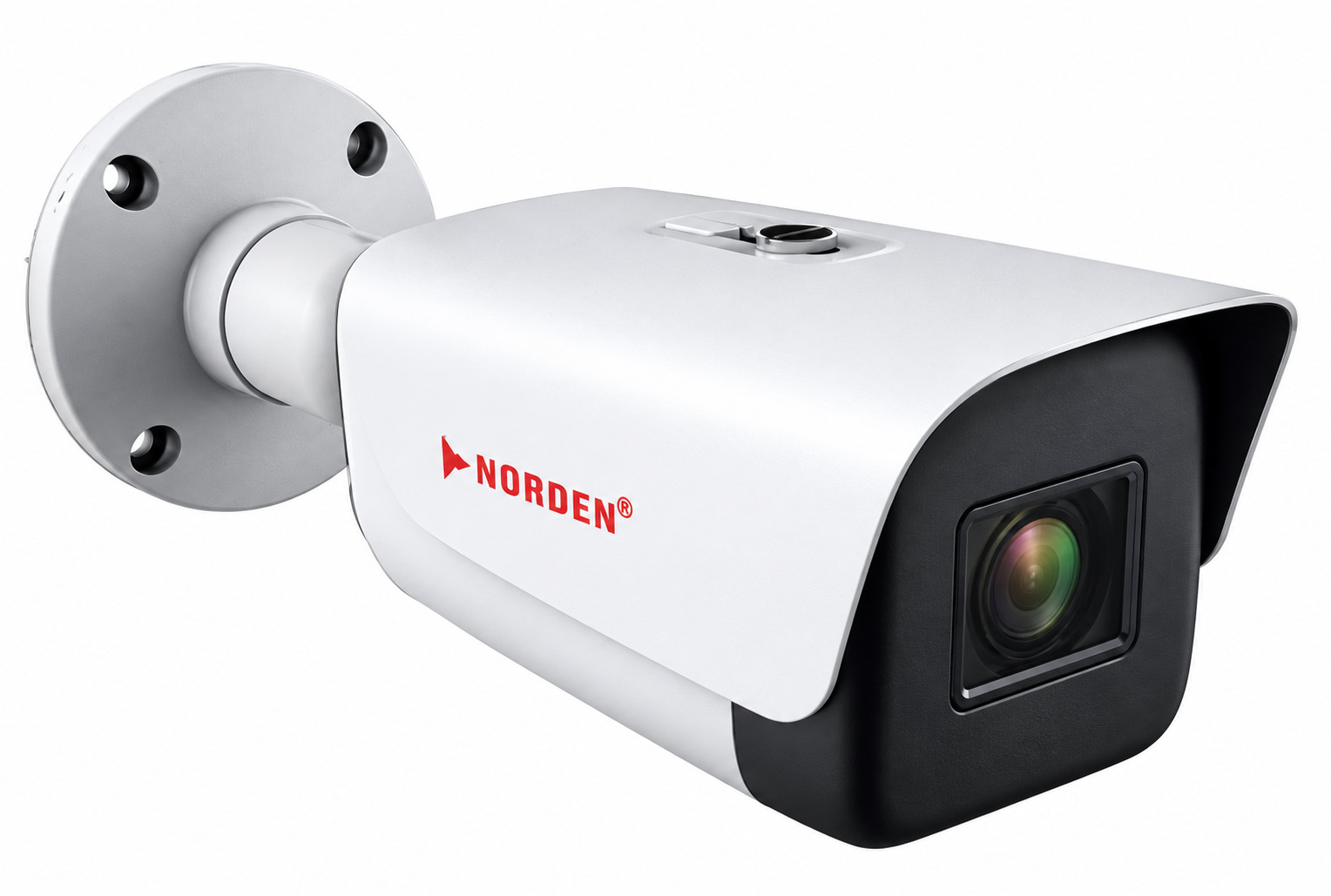
Bullet cameras have a more visible cylindrical design.
They are commonly used for outdoor monitoring because they can provide a clear directional view and can also act as a visible security deterrent.
PTZ cameras
PTZ means:
Pan + Tilt + Zoom
These cameras can move horizontally, vertically and zoom in on areas of interest.
They are useful when a security operator needs to control the camera remotely.
Panoramic cameras
Panoramic cameras are designed to cover wide areas.
They can be useful in spaces such as:
- Large rooms
- Retail environments
- Warehouses
- Public areas
Box cameras
Box cameras use a more traditional camera form factor and can be configured with different lenses for specific surveillance requirements.
Thermal cameras
Thermal cameras detect heat rather than relying solely on visible light.
This makes them useful for specialised applications where conventional cameras may struggle, including certain low-light or industrial environments.
Axis identifies dome, bullet, box, panoramic, PTZ and thermal cameras among common surveillance camera types.
What Is the Difference Between CCTV and IP Cameras?
CCTV is a broad term commonly used for video surveillance systems, while an IP camera is a network-connected camera that sends digital video over an IP network. Traditional analog CCTV cameras normally connect to DVR-based systems, whereas IP cameras commonly work with NVRs and network infrastructure.
Feature | Traditional Analog CCTV | IP Camera |
Video | Analog | Digital |
Network connectivity | Usually limited | Built around network connectivity |
Recorder | DVR | NVR |
Resolution potential | Varies | Generally higher |
Remote management | Possible with system configuration | Common |
Analytics | More limited depending on system | Extensive options |
Scalability | Depends on infrastructure | Generally strong |
AI capabilities | Model/system dependent | Widely available |
Modern IP systems can provide higher resolution, network integration and advanced analytics. Hikvision’s Africa platform, for example, highlights higher resolution, AI capabilities and reduced cabling as advantages of IP-based systems compared with traditional analog setups.
Which one should you choose?
That depends on your project.
If you are upgrading an existing analog installation, keeping some existing infrastructure may make sense.
For a new large-scale deployment, IP cameras can provide greater flexibility and integration possibilities.
Key Features to Consider
The right CCTV camera should be selected according to its environment and purpose, not simply its megapixel rating. Resolution, lens, viewing angle, lighting, storage, connectivity, weather protection and analytics all influence whether the camera will actually capture useful footage.
Resolution
Higher resolution can provide more image detail.
However, resolution alone does not guarantee useful footage.
The lens, lighting and camera placement matter too.
Axis specifically recommends starting with the operational requirement and considering pixel density, field of view and camera positioning when designing surveillance systems.
Night vision
If the camera needs to operate after dark, check its low-light and infrared capabilities.
Field of view
A wider lens can cover more area, while a narrower field of view can provide more detail at a distance.
Weather resistance
Outdoor cameras should be designed for the environmental conditions where they will be installed.
Motion detection
Motion detection can help identify activity and reduce unnecessary recording or alerts.
Audio
Some cameras include microphones or support audio features.
Whether audio is appropriate depends on the application and applicable privacy requirements.
AI analytics
Modern cameras can offer intelligent functions such as:
- Person detection
- Vehicle detection
- Object classification
- Line crossing
- Intrusion detection
- License plate recognition
The exact capabilities depend on the model.
Remote monitoring
Remote access can allow authorised users to view cameras away from the physical premises.
However, remote access should be secured properly.
What Are the Benefits of CCTV Cameras?
The main benefits of CCTV cameras include improved visibility, security monitoring, deterrence, incident investigation and remote access. Modern systems can also provide operational insights through video analytics, making surveillance useful for more than simply recording security incidents.
1. Increased visibility
A camera can monitor areas that security personnel cannot continuously observe.
2. Deterrence
Visible cameras may discourage unwanted behaviour because people know activity may be recorded.
3. Evidence and investigation
Recorded footage can help organisations understand what happened during an incident.
4. Remote monitoring
Network-connected systems can allow authorised personnel to monitor sites remotely.
5. Operational insights
Advanced analytics can help organisations understand traffic, occupancy and operational patterns.
6. Scalable security
IP-based systems can be expanded and integrated with other technologies.
7. Integration
Modern surveillance can integrate with systems such as:
- Access control
- Alarm systems
- Intercoms
- Building management
- Analytics platforms
What Are the Disadvantages of CCTV Cameras?
CCTV systems require investment in cameras, infrastructure, storage, installation, maintenance and cybersecurity. Poor camera placement can also produce footage that is technically recorded but not useful. Privacy, access control and data protection must also be considered when deploying surveillance.
Common limitations include:
- Initial equipment costs
- Installation costs
- Storage requirements
- Maintenance
- Network dependency for IP systems
- Cybersecurity risks
- Privacy considerations
- Poor footage caused by bad positioning
- False alerts from poorly configured analytics
A more expensive camera does not automatically solve these problems.
The system has to be designed around the actual surveillance objective.
How Do You Choose the Right CCTV Camera?
Choose a CCTV camera by first defining what you need to see, where the camera will be installed and what you want to do with the footage. Then evaluate resolution, lens, field of view, lighting, storage, connectivity, analytics, environmental protection and integration requirements.
1. Define the purpose
Ask:
What am I trying to monitor?
Is the objective:
- General observation?
- Identification?
- Security deterrence?
- Traffic monitoring?
- Staff safety?
- Asset protection?
2. Identify the environment
Consider whether the camera will be:
- Indoors
- Outdoors
- In a warehouse
- In a parking area
- In a retail environment
- In an industrial facility
3. Determine the required detail
You may need a different camera for identifying a person at an entrance than for simply monitoring activity across a large room.
4. Choose the camera type
Select between dome, bullet, PTZ, panoramic, box or specialised cameras based on the application.
5. Plan storage
Determine how much footage needs to be retained and at what quality.
6. Consider the network
For IP systems, evaluate:
- Network bandwidth
- PoE
- Switches
- NVR capacity
- Cybersecurity
- Remote access
7. Plan for the future
If the organisation may add cameras later, choose infrastructure that can accommodate expansion.
CCTV Installation Best Practices
Good installation is just as important as good hardware. Cameras should be positioned to capture the areas that matter, with suitable lighting, viewing angles, mounting heights and network infrastructure. Organisations should also secure cameras and recording systems against unauthorised access.
Prioritise camera positioning
Avoid installing a camera simply because a wall is available.
Ask:
What should this camera actually see?
Consider lighting
A camera that performs well during the day may produce poor footage at night if lighting is inadequate.
Protect network-connected cameras
IP cameras are connected devices, so cybersecurity should be part of the deployment plan.
Axis notes that modern connected surveillance systems introduce cybersecurity considerations because cameras and associated devices can become targets for attackers.
Best practices include:
- Change default credentials
- Use strong passwords
- Keep firmware updated
- Restrict network access
- Use encryption where appropriate
- Apply user permissions
- Secure remote access
Test before completing the installation
Check footage during both day and night conditions where applicable.
Verify:
- Image quality
- Camera coverage
- Recording
- Playback
- Alerts
- Remote access
- Storage
What Is the Future of CCTV Technology?
The future of CCTV is moving from passive recording toward intelligent video systems that can detect events, analyse activity and provide real-time information. AI-enabled cameras, edge analytics, cloud connectivity, cybersecurity and integration with other systems are becoming increasingly important in modern surveillance deployments.
Traditional CCTV essentially answered:
“What happened?”
Modern intelligent surveillance increasingly aims to answer:
“What is happening, and does it require attention?”
AI-enabled cameras can analyse video at the edge and detect events in real time.
For example, intelligent systems may identify:
- People
- Vehicles
- Unusual movement
- Restricted-area entry
- Traffic patterns
- Operational events
Axis’ 2026 research describes this shift from passive surveillance toward real-time intelligence and reports growing use of video systems for business intelligence and operational efficiency.
This means CCTV is increasingly becoming part of a broader technology ecosystem.
The future security system may combine:
Cameras + AI + Access Control + Alarms + Analytics + Cloud + IoT
rather than treating the camera as a standalone device.
Conclusion
CCTV cameras have evolved from relatively simple recording devices into sophisticated components of modern security and operational systems.
For a home, business, school, warehouse or large enterprise, the right surveillance system can provide visibility where people cannot always be present.
However, choosing a CCTV camera should never be based on resolution or price alone.
The most important questions are:
What do you need to monitor?
What level of detail do you need?
How will the footage be stored and accessed?
Will the system need to grow?
Once those requirements are clear, selecting the right camera, recorder, network and analytics becomes much easier.
For organisations in Nigeria, Ghana and Côte d’Ivoire, a well-designed surveillance system can provide both security visibility and a foundation for smarter, more connected operations.
FAQs
Yes. Many modern CCTV cameras have infrared (IR) night vision, allowing them to capture footage in low-light or dark environments. The quality and range of night vision depend on the camera model and its specifications.
A CCTV camera captures video using its image sensor and sends the footage to a recording or monitoring device. Depending on the system, footage can be stored on a DVR, NVR, memory card, or cloud storage.
Traditional CCTV cameras typically use coaxial cables to transmit video to a DVR, while IP cameras transmit digital video over a network. IP cameras generally offer easier remote access, higher resolution, and more advanced features.
Yes. Many modern CCTV and IP camera systems allow users to view live footage remotely through a smartphone, tablet, or computer, provided the system has the necessary network or internet connection.
Not always. A CCTV system can record locally without an internet connection. However, internet access is usually required for features such as remote viewing, cloud storage, and receiving online security alerts.